
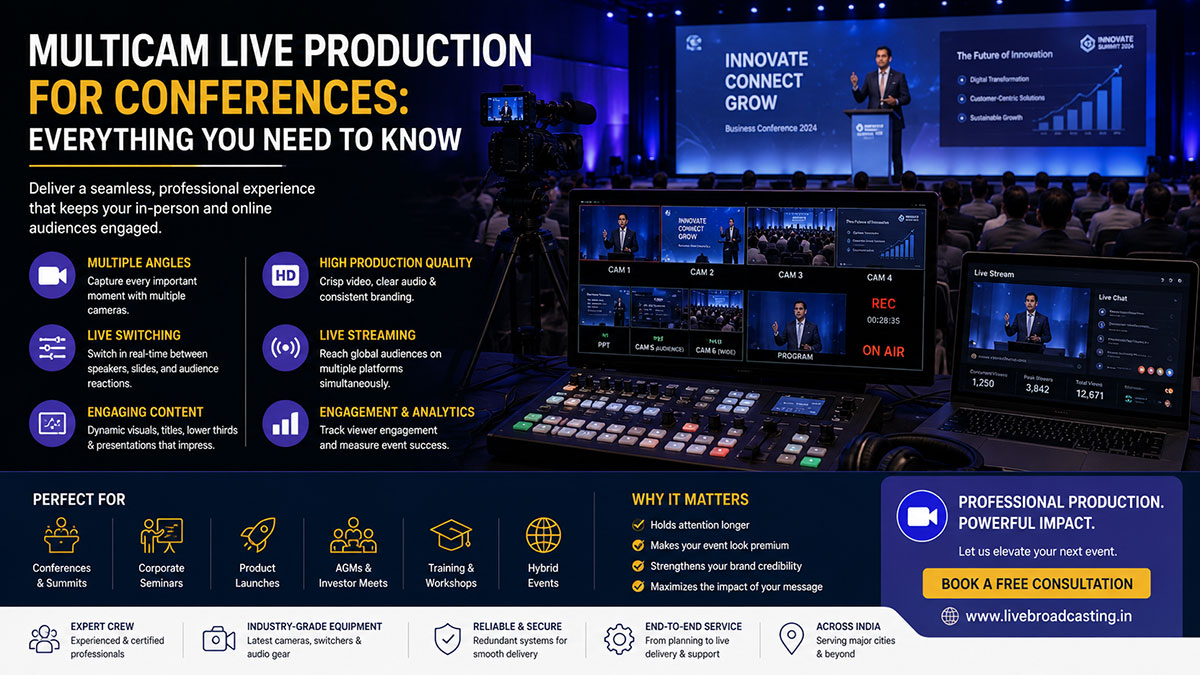
A single static camera pointed at a stage is the minimum viable approach to event live streaming. It communicates the words. It documents the proceedings. But it does not engage a remote audience. For that, you need multicam live production.
Why Multicam Matters for Conference Live Streaming
Human attention is drawn to motion and variety. When a live stream cuts from a wide shot of the stage to a medium shot of the speaker’s face to a two-shot of a panel discussion, it creates visual rhythm that keeps remote viewers engaged. A single static camera produces a video that feels like CCTV footage — technically present, but psychologically distant.
Standard Multicam Configurations for Conferences
Two-Camera Setup — The Entry Point
Camera 1 provides a wide master shot of the stage. Camera 2 provides a medium close-up of the active speaker or panellist. Suitable for: half-day seminars and workshops, panel discussions with 2-4 speakers, small conferences with a limited production budget.
Three-Camera Setup — The Professional Standard
A three-camera configuration adds a reaction shot camera, typically positioned to capture the audience, a panel wide shot, or an alternate stage angle. Three-camera is the recommended minimum for full-day conferences, national summits, and any event where the recording will be repurposed as marketing content.
Four-Camera and Beyond — Broadcast-Quality Production
A typical four-camera conference setup includes: a wide master shot, a tighter centre presenter shot, a dedicated audience/reaction camera, and a dedicated screen/presentation capture camera. For flagship industry conferences, government summits, and international events, larger configurations with robotic PTZ cameras, drone footage, and separate product demonstration cameras are common.
The Video Switcher — The Heart of Multicam Production
All cameras in a multicam production feed into a hardware video switcher. The technical director operating the switcher decides, in real time, which camera output is broadcast to viewers at any given moment. They also insert graphics, lower-thirds (name captions), presentation slides, and video playback into the live stream.
The Blackmagic Design ATEM Mini Extreme ISO is the workhorse for smaller conferences. For larger productions, the ATEM Constellation 8K handles up to 40 inputs with full broadcast-grade features.
Graphics, Lower-Thirds, and Branding
A professionally produced conference stream includes: an animated opening title sequence, speaker name lower-thirds, session title cards between programme segments, sponsor logos and branding overlays, and a countdown clock before the event begins and during breaks.
Planning Timeline for a Multicam Conference Production
- 8 weeks before: Initial brief, venue selection, technical rider preparation
- 6 weeks before: Site survey, connectivity assessment, camera placement planning
- 4 weeks before: Graphics brief submitted, speaker information collected
- 2 weeks before: Graphics delivered, full production plan confirmed
- 1 week before: Equipment shipped/dispatched to venue
- Day before event: Full setup, cable management, technical rehearsal
- Event day: Arrive three hours early. Final checks. Go live.
- Post-event: Recordings delivered within 24-48 hours
Frequently Asked Questions
Q: How many cameras do I need for a one-day conference with 500 attendees?
Three to four cameras are recommended for a one-day conference of this scale: a master wide shot, a speaker close-up, a panel wide shot, and a presentation/screen capture.
Q: What is ISO recording and why does it matter?
ISO (isolated) recording captures every camera feed individually as a separate video file. This gives editors the ability to re-edit the event in post-production from any angle, dramatically increasing the value of the recording for content repurposing.
Q: What is a lower-third graphic?
A lower-third is the text caption that appears in the lower portion of the screen, typically showing a speaker’s name, job title, and organisation. It is standard in all professional broadcast and live event productions.
Q: How far in advance should I book a multicam production team?
For a conference of 200 or more attendees, booking four to six weeks in advance is recommended. For flagship events with custom graphics and multi-room coverage, eight weeks or more is ideal.
